One local identity
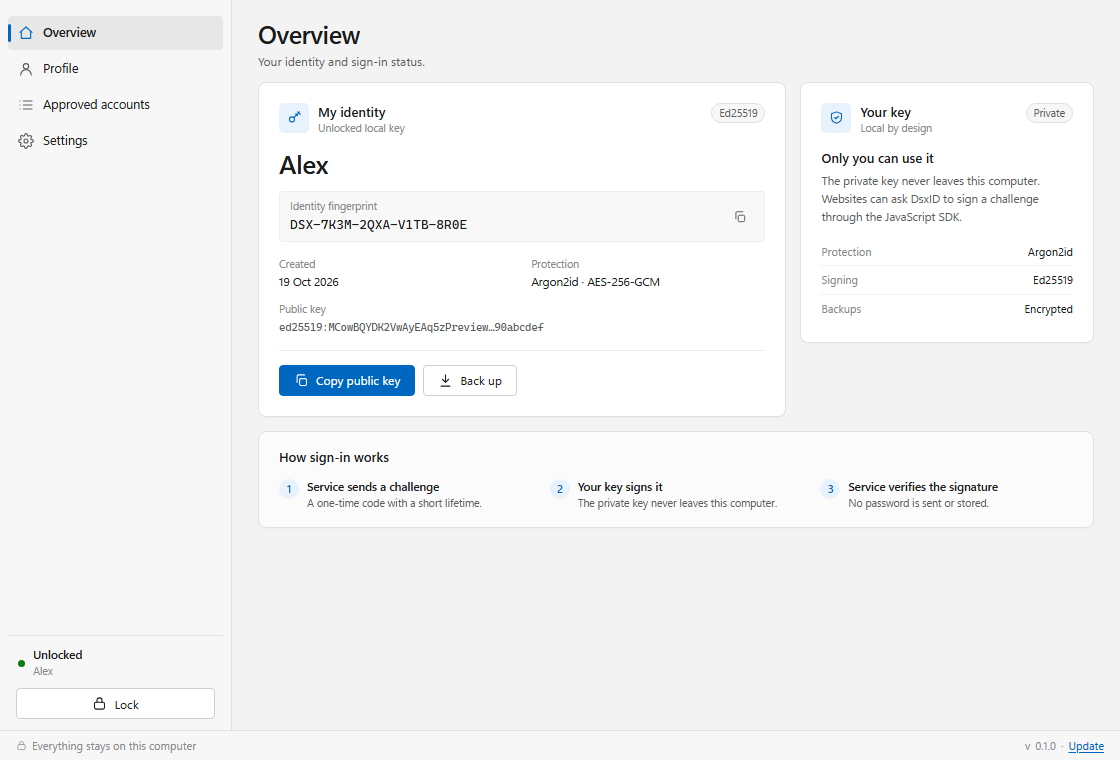
An Ed25519 key pair with a readable DSX fingerprint. Create it once, use it across participating sites.
 DsxID
Local-first identity for your computer
DsxID gives you one private key for the web. No passwords on servers, no cloud account, and no profile data shared without your approval.
Windows build available now · SDK for any website · v0.1.0
Built for ownership
Everything important stays on your computer. Websites receive a short-lived signature, not your private key.
An Ed25519 key pair with a readable DSX fingerprint. Create it once, use it across participating sites.
The private key is sealed with Argon2id and AES-256-GCM. Locking DsxID removes it from memory.
The desktop app shows the exact website origin and one-time challenge before signing anything.
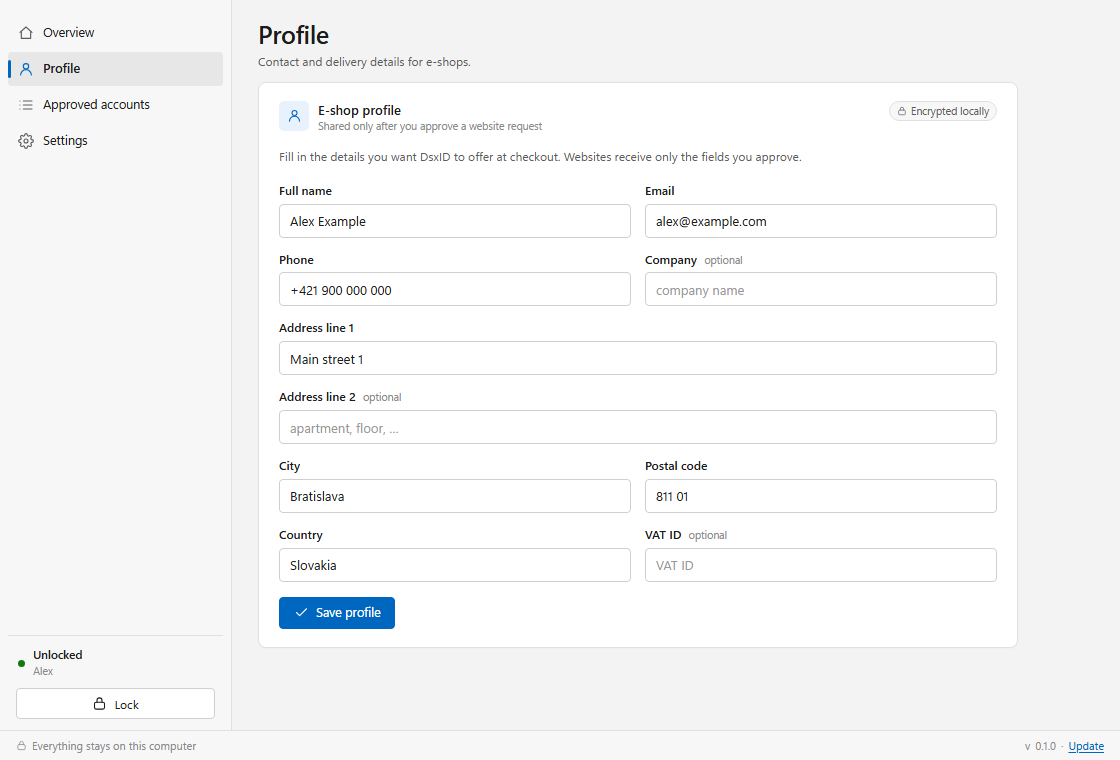
Save delivery details locally. An e-shop receives only the fields you approve, signed into the assertion.
Native notifications for new requests. Closing the window keeps DsxID available in the Windows tray.
Export an encrypted backup that can only be restored with your passphrase. No server required.
How it works
The website owns the challenge and the session. DsxID only signs what you explicitly approve.
Choose a passphrase. DsxID generates and seals an Ed25519 key on this computer.
A site asks for a signature. Check the origin and the profile fields, then approve.
Your backend checks the signature, challenge, origin and expiry, then creates its own session.
E-shop ready
Fill your delivery details once. When a participating e-shop asks, DsxID shows exactly what will be shared. Only saved fields you approve are signed and returned.
For developers
Mount a button, request the profile fields your checkout needs, and verify the signed assertion on your backend.
DsxID.mount("#checkout", {
  startUrl: "/api/dsxid/start",
  verifyUrl: "/api/dsxid/verify",
  profile: ["fullName", "email",
            "address1", "city",
            "postalCode", "country"],
  onSuccess: function (result) {
    for (const [key, value] of
      Object.entries(result.profile || {})) {
      const input = document.querySelector(
        `[name="${key}"]`
      );
      if (input) input.value = value;
    }
  }
});The browser SDK talks to 127.0.0.1:41991 only after the user clicks sign in. DsxID shows the request in a native approval dialog.
Hosted SDK
Published with this site. Use the URL below in your script tag, or copy the files from sdk/ to your own host.
https://dsxid.org/sdk/dsxid.js
Security by default
No telemetry, no cloud, no password database. The private key and profile stay under your control.
Identity, profile and approvals are stored in %APPDATA%\DsxID. The app makes no external network calls.
Every assertion covers the website origin, challenge and expiry. A man-in-the-middle cannot forge or alter it.
The approval dialog lists every profile value that will be shared. Missing values are shown as not shared.
Ready when you are
Download the portable Windows build now. The browser SDK works with websites on any platform.